Time of Day
About
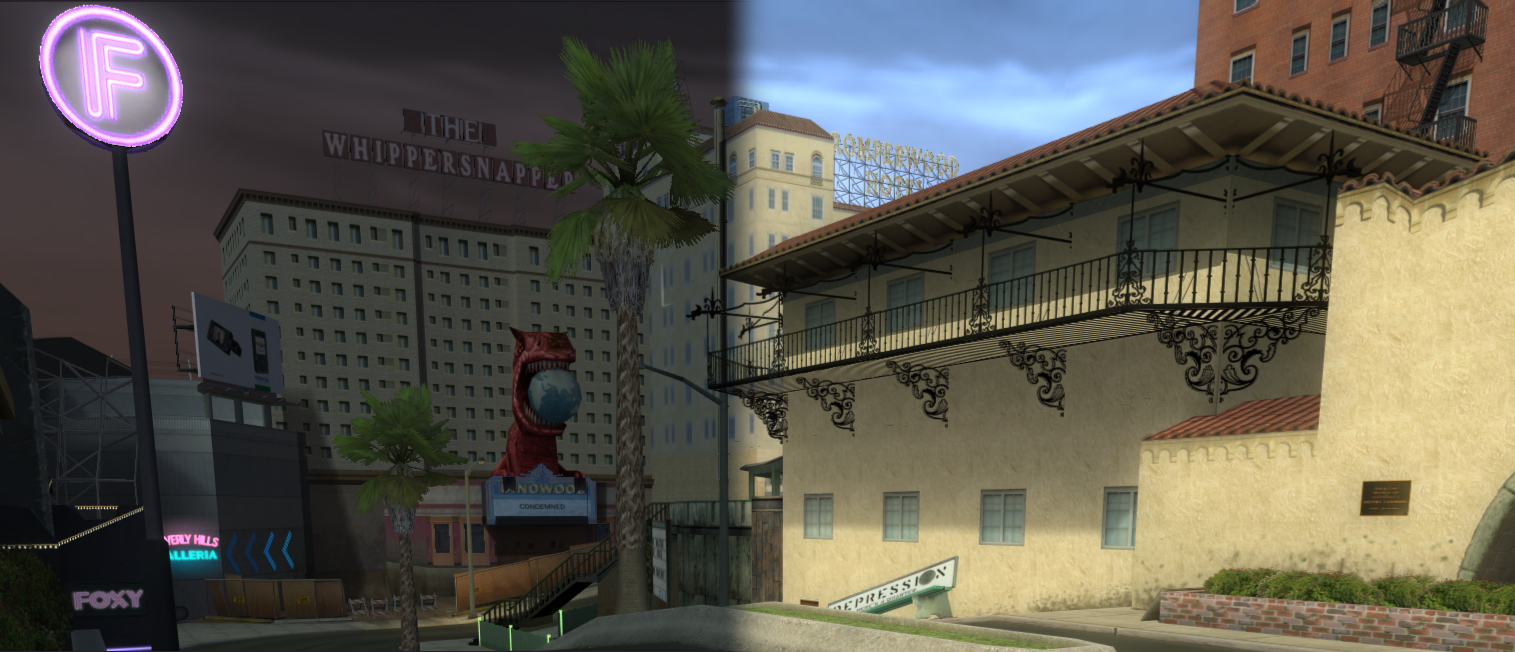
The Time of Day system in sixth-gen Neversoft titles is designed to give levels a dynamic feel without the taxing cost of fully dynamic global illumination.
The engine's "TOD Manager" handles ambient lighting, directional light sources, and other effects to simulate different times of day while maintaining consistent performance.
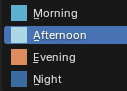
At its core, the system blends between predefined lighting presets rather than calculating lighting in real time. Each preset corresponds to a different time of day:
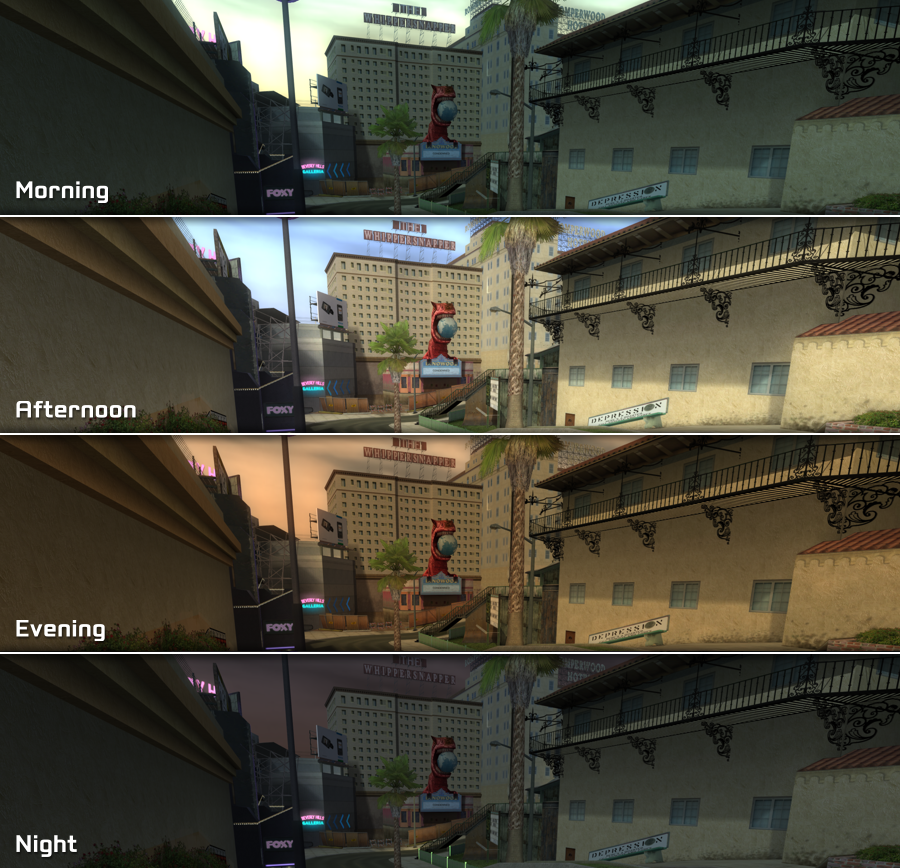
In story mode, time of day transitions are handled through interpolation, allowing gradual shifts in color temperature and intensity as time progresses.
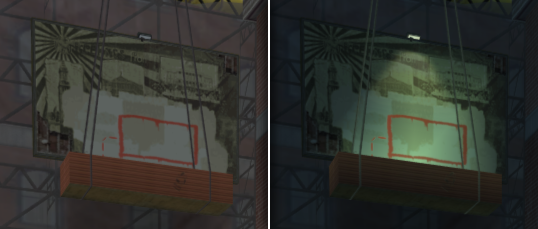
Some levels may also create or hide geometry depending on the current time, such as creating lights at night.
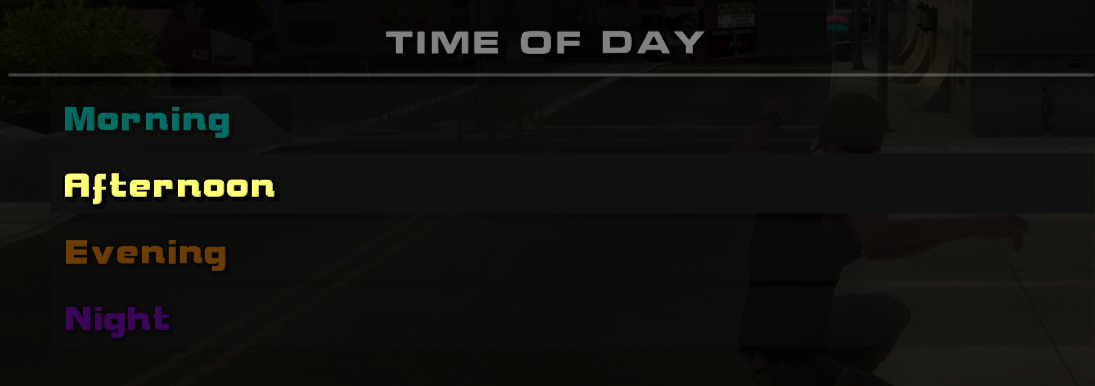
In reTHAWed, we can easily select any time of day via
The engine's "TOD Manager" handles ambient lighting, directional light sources, and other effects to simulate different times of day while maintaining consistent performance.
At its core, the system blends between predefined lighting presets rather than calculating lighting in real time. Each preset corresponds to a different time of day:
In story mode, time of day transitions are handled through interpolation, allowing gradual shifts in color temperature and intensity as time progresses.
Some levels may also create or hide geometry depending on the current time, such as creating lights at night.
In reTHAWed, we can easily select any time of day via
Level Options in the pause menu.Lighting Tool
Various time of day values can be changed and debugged easily in-game using reTHAWed's lighting tool.
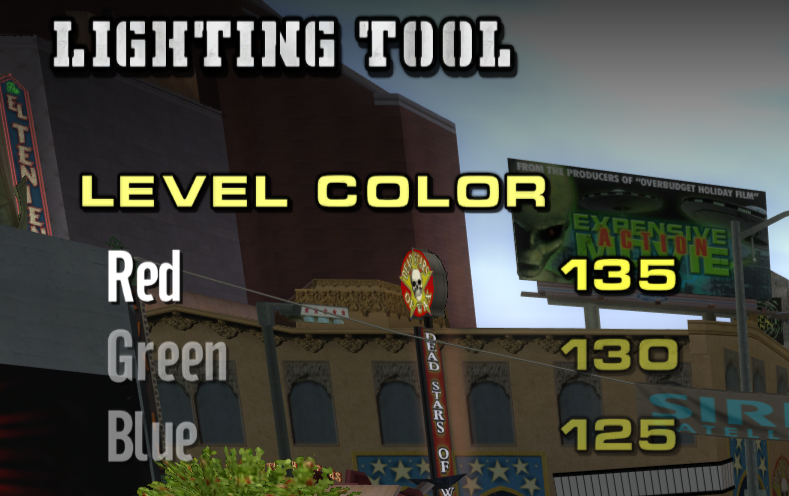



Enable
Modder Mode in Options > Display OptionsAccess the
Modder Toolbox in the Options menu.Select the
Lighting Tool option to access the tool.Parameters
Time of day parameters are exposed in NXTools via the
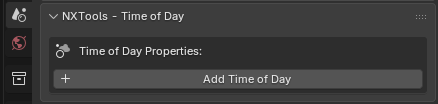
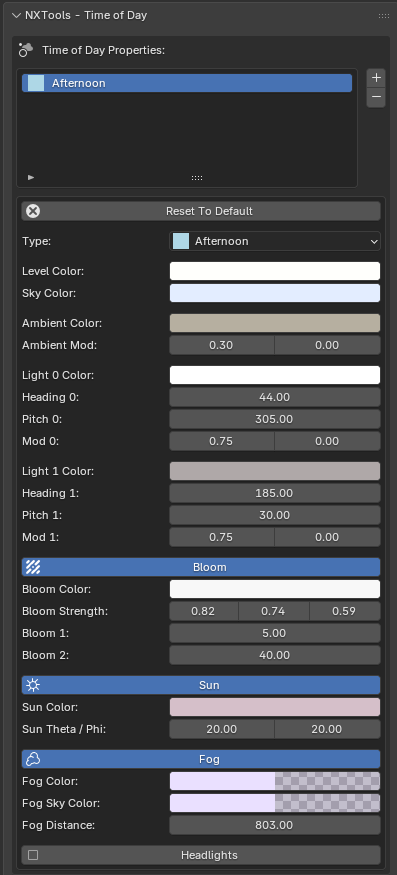
Adding a time of day preset exposes a plethora of parameters:
Sets the type, or preset, to use for the time of day entry.
This corresponds to one of the four times listed above in the About section.
Affects the base color of the level itself.
This effectively sets the ambient color of the level and tints the entire level based on the provided color. This can be used to make the overall level brightness appear brighter or darker when combined with the other colors.
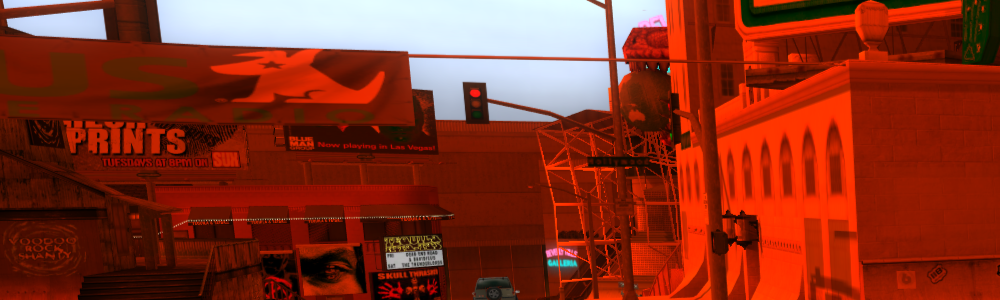
Sets the color of the sky behind the level. This tints the entire sky based on the provided color.
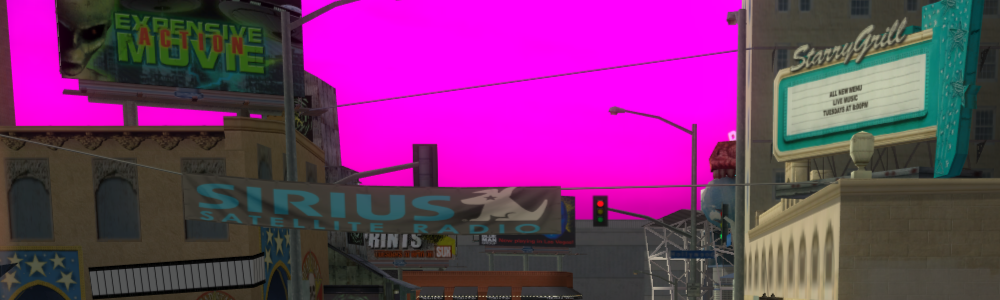
Sets the ambient color for dynamic objects such as skaters and cars.
This sets the base color for these objects. The Light 0 and Light 1 colors cast lighting on top of this.
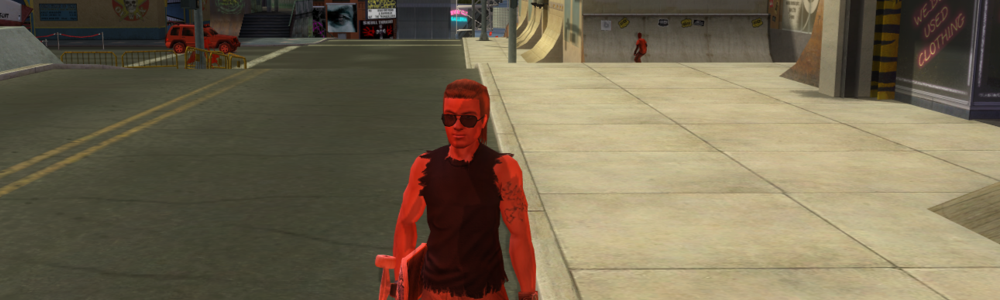
Unknown, needs research.
Sets the color of the two directional lights in the scene. These get applied on top of the Ambient Color above.
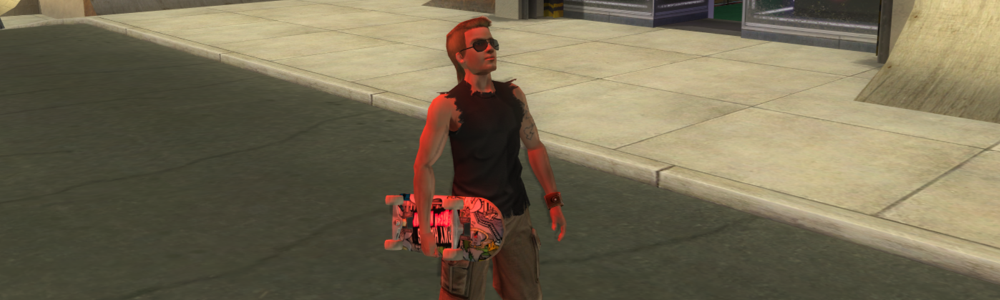
Sets the heading, or yaw of the two directional lights in the scene. Affects the direction of said lights.
Sets the pitch of the two directional lights in the scene. Affects the direction of said lights.
Unknown, needs research.
Enables or disables bloom in the level. Bloom causes brighter areas to appear slightly blurred and exaggerated.
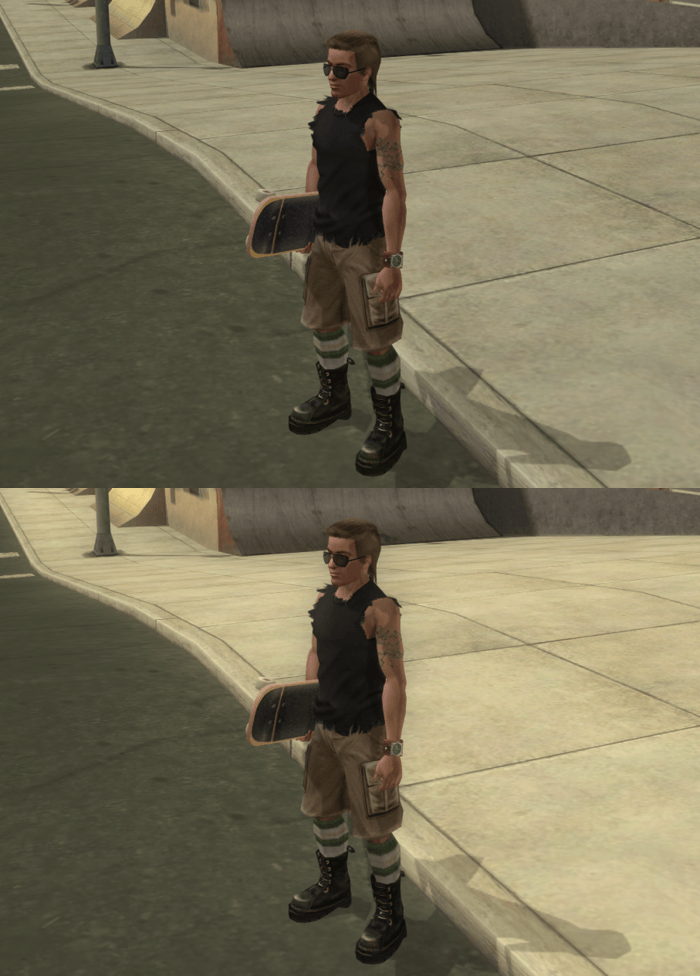
Unknown, needs research. Appears to visually affect the bloom "threshold" when modified.
Effectively modifies the color of the bloomed image, by adjusting its Red, Green, and Blue values.
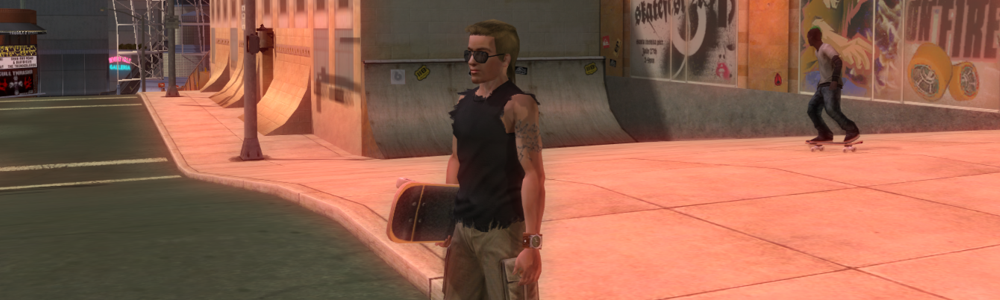
Unknown, needs research.
Enables or disables the sun seen in the sky behind the level.
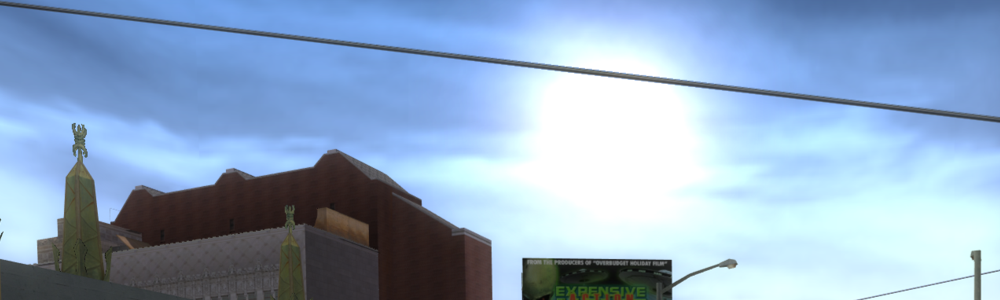
Affects the azimuth angle of the sun, in terms of spherical coordinates.
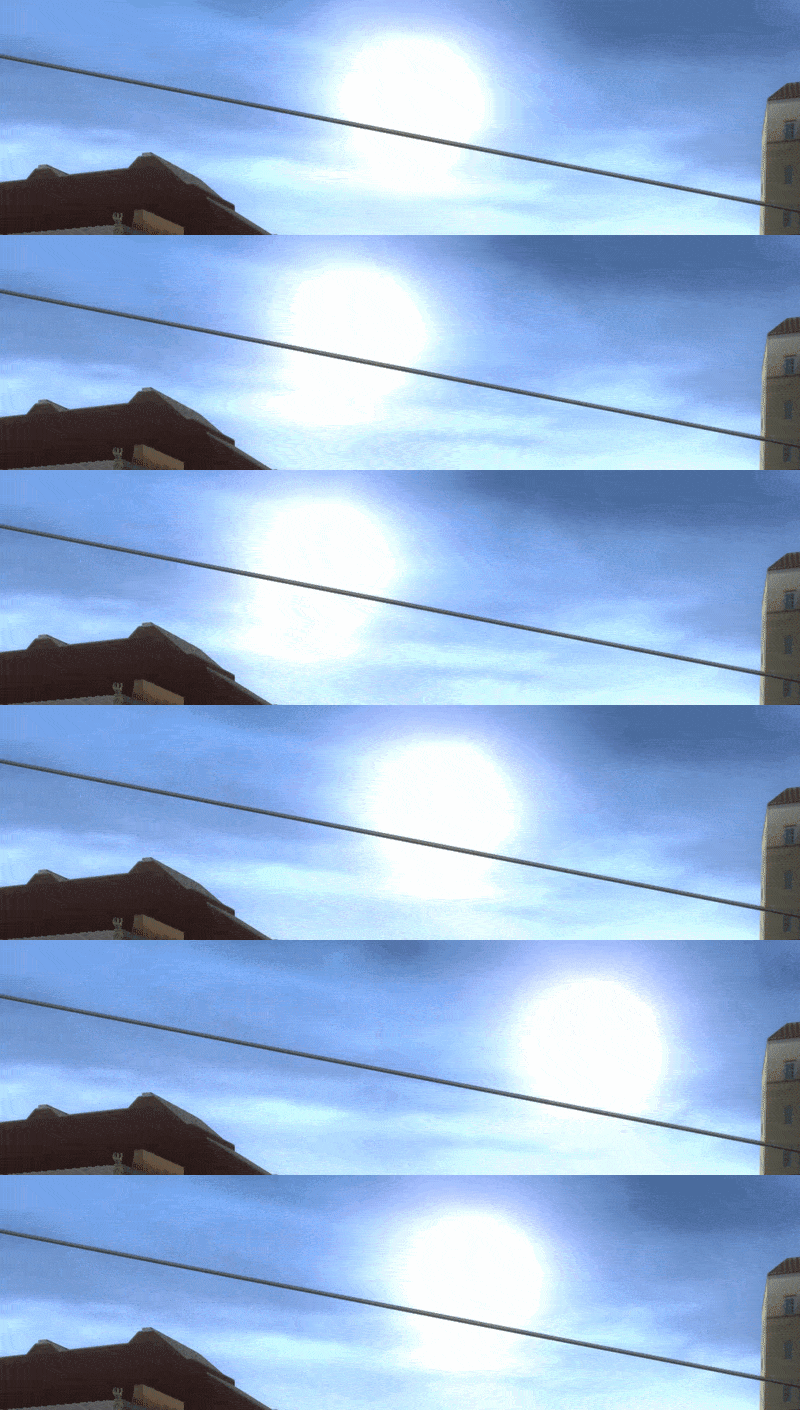
Affects the elevation angle of the sun, in terms of spherical coordinates.
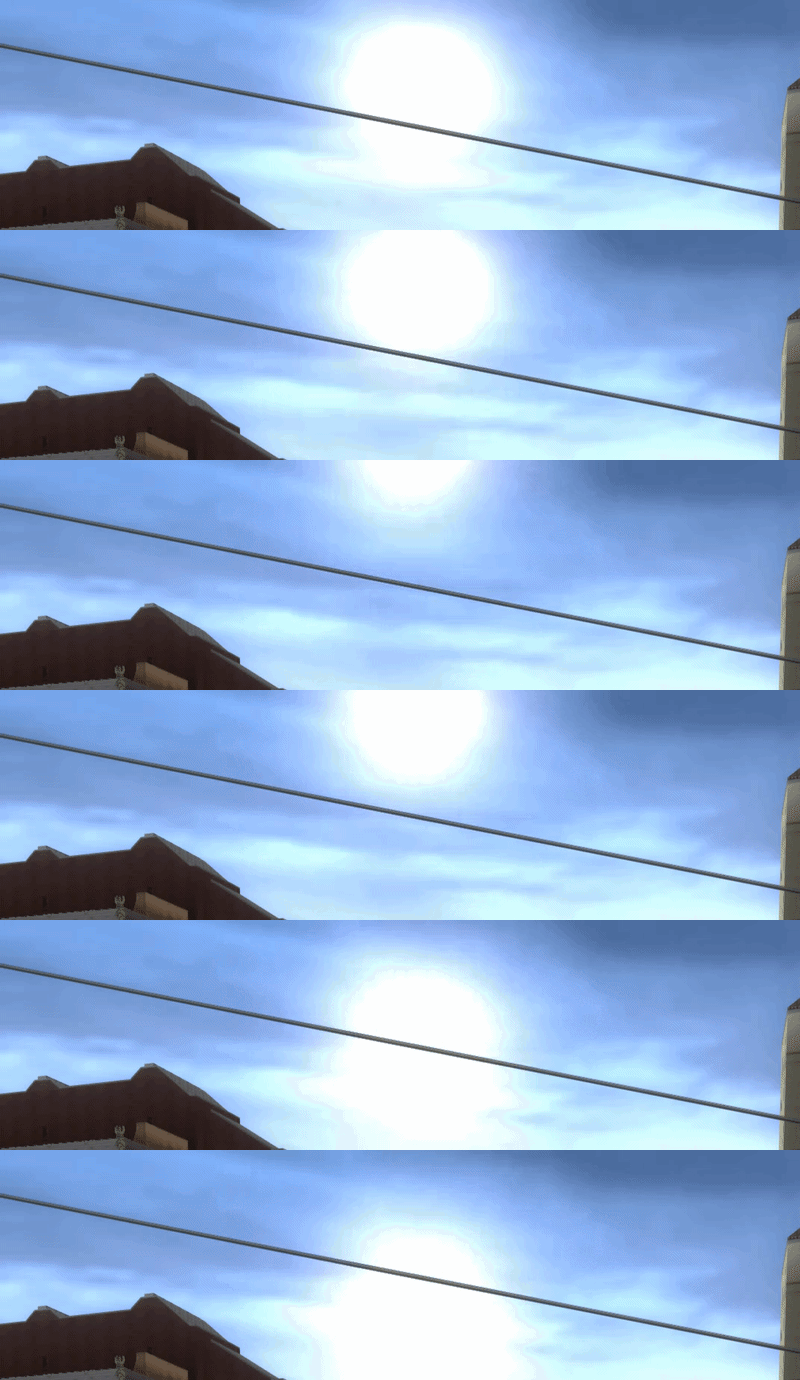
Unused as of now. An unimplemented leftover from console ports of the game.
Unused as of now. Intended to activate headlights on vehicles as long as the time of day preset is active.
NXTools - Time of Day panel of the Scene sidebar.Adding a time of day preset exposes a plethora of parameters:
Type
Sets the type, or preset, to use for the time of day entry.
This corresponds to one of the four times listed above in the About section.
Level Color
Affects the base color of the level itself.
This effectively sets the ambient color of the level and tints the entire level based on the provided color. This can be used to make the overall level brightness appear brighter or darker when combined with the other colors.
Sky Color
Sets the color of the sky behind the level. This tints the entire sky based on the provided color.
Ambient Color
Sets the ambient color for dynamic objects such as skaters and cars.
This sets the base color for these objects. The Light 0 and Light 1 colors cast lighting on top of this.
Ambient Mod
Unknown, needs research.
Light 0 Color / Light 1 Color
Sets the color of the two directional lights in the scene. These get applied on top of the Ambient Color above.
Heading 0 / Heading 1
Sets the heading, or yaw of the two directional lights in the scene. Affects the direction of said lights.
Pitch 0 / Pitch 1
Sets the pitch of the two directional lights in the scene. Affects the direction of said lights.
Mod 0 / Mod 1
Unknown, needs research.
Bloom
Enables or disables bloom in the level. Bloom causes brighter areas to appear slightly blurred and exaggerated.
Bloom Color
Unknown, needs research. Appears to visually affect the bloom "threshold" when modified.
Bloom Strength
Effectively modifies the color of the bloomed image, by adjusting its Red, Green, and Blue values.
Bloom 1 / Bloom 2
Unknown, needs research.
Sun
Enables or disables the sun seen in the sky behind the level.
Sun Theta
Affects the azimuth angle of the sun, in terms of spherical coordinates.
Describes the sun’s position around the horizon, like a compass direction.
This is what makes the sun move from east to west over the course of the day.
Sun Phi
Affects the elevation angle of the sun, in terms of spherical coordinates.
Describes how high the sun is above the horizon.
A phi of
0 means that the sun is placed directly on the horizon.A phi of
90 means that the sun is directly overhead.Fog
Unused as of now. An unimplemented leftover from console ports of the game.
Headlights
Unused as of now. Intended to activate headlights on vehicles as long as the time of day preset is active.
Object Creation
Objects can be created during certain times of day if desired. This functionality can be useful for lights, ambience, sound effects, and more.
In NXTools, this functionality is exposed via the
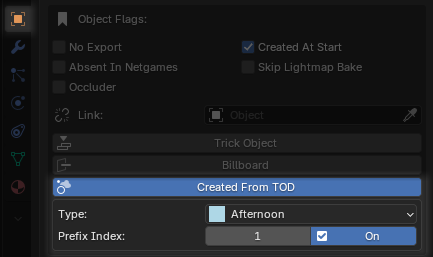
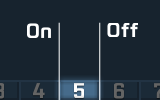
Given the four presets listed above, we can imagine that each is separated into

The parameters below can be tuned to specify exactly when object(s) get created during the time of day cycle.
Chooses one of the four time of day presets that will be responsible for creating this object.
Chooses which of the ten slices will be responsible for creating this object.

The object can be created when the indexed slice is turned on or off using the provided checkbox.
In NXTools, this functionality is exposed via the
Created From TOD parameter in an object's Object Flags panel.Given the four presets listed above, we can imagine that each is separated into
10 slices.The parameters below can be tuned to specify exactly when object(s) get created during the time of day cycle.
Type
Chooses one of the four time of day presets that will be responsible for creating this object.
Prefix Index
Chooses which of the ten slices will be responsible for creating this object.
The object can be created when the indexed slice is turned on or off using the provided checkbox.
Choosing
On will create the object at the beginning of the slice, when the slice starts.Choosing
Off will create the object at the end of the slice, when the slice finishes.Examples
Below are a handful of example settings using stock time of day presets.
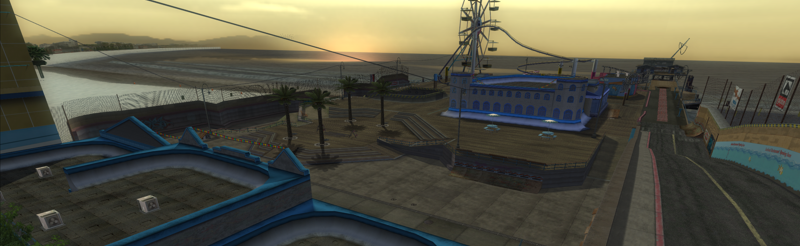
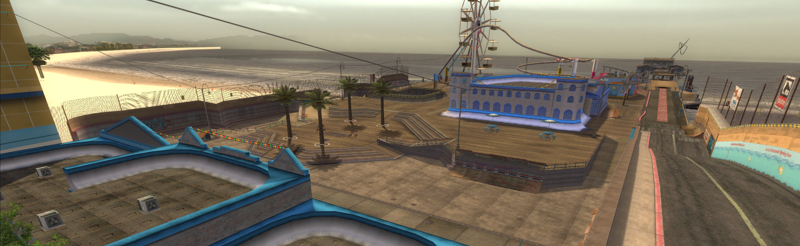
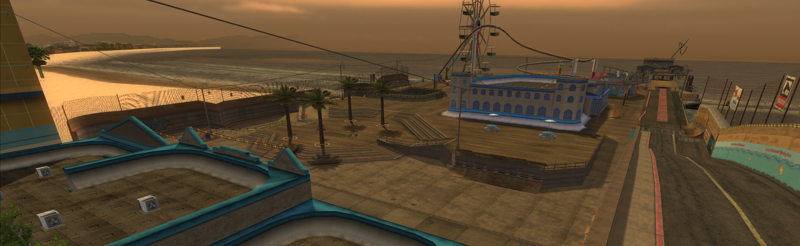
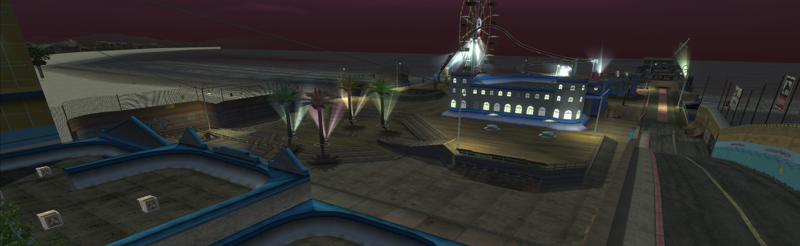
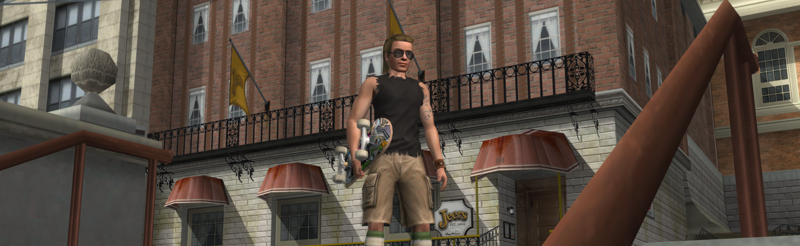
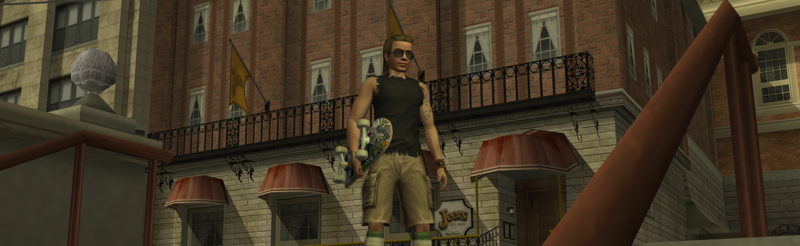
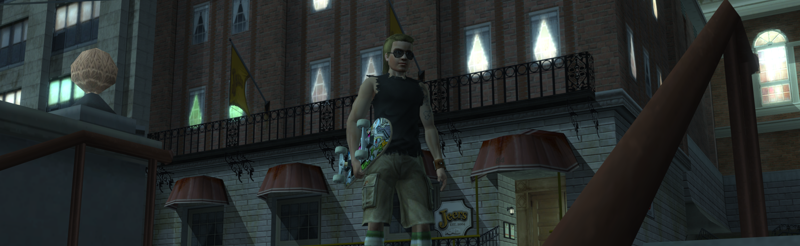
THAW - Morning
state_length = 90000
lev_red = 64
lev_green = 77
lev_blue = 81
fog_on = 1
fog_red = 85
fog_green = 100
fog_blue = 105
fog_alpha = 108
fog_dist = 350
fog_sky_red = 135
fog_sky_green = 138
fog_sky_blue = 110
fog_sky_alpha = 68
ambient_red = 53
ambient_green = 54
ambient_blue = 57
ambient_mod_factor_lo = 0.2000
ambient_mod_factor_hi = 0.0
heading_0 = 44
pitch_0 = 317
red_0 = 16
green_0 = 19
blue_0 = 29
mod_factor_0_lo = 0.1200
mod_factor_0_hi = 0.0
heading_1 = 0
pitch_1 = 0
red_1 = 34
green_1 = 42
blue_1 = 49
mod_factor_1_lo = 0.1000
mod_factor_1_hi = 0.0
sun_on = 0
sun_theta = 20.0
sun_phi = -10.0
sun_red = 0.0
sun_green = 0.0
sun_blue = 0.0
sky_red = 135
sky_green = 118
sky_blue = 85
headlights_on = 0
bloom_on = 1
bloom_color = [ 120 100 120 ]
bloom1 = 0
bloom2 = 100
bloom_strength = [ 48 64 76 ]
dof_on = 0
THAW - Afternoon
state_length = 400000
lev_red = 135
lev_green = 130
lev_blue = 125
fog_on = 1
fog_red = 105
fog_green = 96
fog_blue = 132
fog_alpha = 60
fog_dist = 803
fog_sky_red = 105
fog_sky_green = 96
fog_sky_blue = 132
fog_sky_alpha = 60
ambient_red = 60
ambient_green = 55
ambient_blue = 45
ambient_mod_factor_lo = 0.3000
ambient_mod_factor_hi = 0.0
heading_0 = 44
pitch_0 = 305
red_0 = 135
green_0 = 130
blue_0 = 165
mod_factor_0_lo = 0.7500
mod_factor_0_hi = 0.0
heading_1 = 185.0
pitch_1 = 30.0
red_1 = 55
green_1 = 50
blue_1 = 50
mod_factor_1_lo = 0.7500
mod_factor_1_hi = 0.0
state_length = 400000
sun_on = 1
sun_theta = 20.0
sun_phi = 20.0
sun_red = 85.0
sun_green = 67.0
sun_blue = 75.0
sky_red = 98
sky_green = 108
sky_blue = 135
headlights_on = 0
bloom_on = 1
bloom_color = [ 120 120 120 ]
bloom1 = 5
bloom2 = 40
bloom_strength = [ 105 95 75 ]
dof_on = 0
THAW - Evening
state_length = 90000
lev_red = 113
lev_green = 95
lev_blue = 74
fog_on = 1
fog_red = 130
fog_green = 96
fog_blue = 59
fog_alpha = 40
fog_dist = 753
fog_sky_red = 100
fog_sky_green = 86
fog_sky_blue = 29
fog_sky_alpha = 30
ambient_red = 59
ambient_green = 48
ambient_blue = 52
ambient_mod_factor_lo = 0.3000
ambient_mod_factor_hi = 0.0
heading_0 = 44
pitch_0 = 320
red_0 = 84
green_0 = 71
blue_0 = 30
mod_factor_0_lo = 0.7500
mod_factor_0_hi = 0.0
heading_1 = 190
pitch_1 = 10
red_1 = 35
green_1 = 62
blue_1 = 38
mod_factor_1_lo = 0.4000
mod_factor_1_hi = 0.0
state_length = 110000
sun_on = 1
sun_theta = 20.0
sun_phi = 180.0
sun_red = 184.0
sun_green = 97
sun_blue = 40
sky_red = 100
sky_green = 79
sky_blue = 56
headlights_on = 0
bloom_on = 1
bloom_color = [ 120 120 120 ]
bloom1 = 10
bloom2 = 70
bloom_strength = [ 80 45 20 ]
dof_on = 0
THAW - Night
state_length = 140000
lev_red = 60
lev_green = 65
lev_blue = 70
fog_on = 1
fog_red = 5
fog_green = 16
fog_blue = 22
fog_alpha = 63
fog_dist = 1030
fog_sky_red = 5
fog_sky_green = 16
fog_sky_blue = 22
fog_sky_alpha = 63
ambient_red = 36
ambient_green = 36
ambient_blue = 40
ambient_mod_factor_lo = 0.3000
ambient_mod_factor_hi = 0.0
heading_0 = 44
pitch_0 = 300
red_0 = 80
green_0 = 110
blue_0 = 116
mod_factor_0_lo = 0.8000
mod_factor_0_hi = 0.8000
heading_1 = 181
pitch_1 = 50
red_1 = 45
green_1 = 40
blue_1 = 50
mod_factor_1_lo = 0.1000
mod_factor_1_hi = 0.0
state_length = 100000
sun_on = 0
sun_theta = 20.0
sun_phi = 200.0
sun_red = 0.0
sun_green = 0.0
sun_blue = 0.0
sky_red = 38
sky_green = 30
sky_blue = 28
headlights_on = 1
bloom_on = 1
bloom_color = [ 150 100 200 ]
bloom1 = 40
bloom2 = 100
bloom_strength = [ 48 64 46 ]
dof_on = 0
THUG2 - Morning
state_length = 90000
sun_on = 1
sun_theta = 0.0
sun_phi = -10.0
sun_red = 255.0
sun_green = 255.0
sun_blue = 255.0
lev_red = 64
lev_green = 77
lev_blue = 81
sky_red = 128
sky_green = 128
sky_blue = 128
fog_on = 1
fog_red = 85
fog_green = 100
fog_blue = 105
fog_alpha = 108
fog_dist = 2500
fog_sky_red = 135
fog_sky_green = 138
fog_sky_blue = 110
fog_sky_alpha = 68
ambient_red = 41
ambient_green = 42
ambient_blue = 45
ambient_mod_factor_lo = 0.1800
ambient_mod_factor_hi = 0.0
heading_0 = 188
pitch_0 = 351
red_0 = 16
green_0 = 19
blue_0 = 29
mod_factor_0_lo = 0.1200
mod_factor_0_hi = 0.0
heading_1 = 0
pitch_1 = 0
red_1 = 34
green_1 = 42
blue_1 = 49
mod_factor_1_lo = 0.1000
mod_factor_1_hi = 0.0
headlights_on = 0
bloom_on = 1
bloom_color = [ 150 100 200 ]
bloom1 = 30
bloom2 = 100
bloom_strength = [ 48 64 76 ]
entry_script = NullScript
THUG2 - Afternoon
state_length = 400000
fog_on = 0
headlights_on = 0
dof_on = 0
sun_on = 1
sun_theta = 0.0
sun_phi = 20.0
sun_red = 255.0
sun_green = 255.0
sun_blue = 255.0
lev_red = 128
lev_green = 128
lev_blue = 128
sky_red = 128
sky_green = 128
sky_blue = 128
fog_red = 128
fog_green = 128
fog_blue = 128
fog_alpha = 0
fog_dist = 200000
fog_sky_red = 105
fog_sky_green = 96
fog_sky_blue = 132
fog_sky_alpha = 60
ambient_red = 50
ambient_green = 50
ambient_blue = 50
ambient_mod_factor_lo = 0.3000
ambient_mod_factor_hi = 0.0
heading_0 = 60
pitch_0 = 330
red_0 = 136
green_0 = 120
blue_0 = 110
mod_factor_0_lo = 0.7500
mod_factor_0_hi = 0.0
heading_1 = 245
pitch_1 = 330
red_1 = 72
green_1 = 70
blue_1 = 66
mod_factor_1_lo = 0.7500
mod_factor_1_hi = 0.0
headlights_on = 0
bloom_on = 1
bloom_color = [ 120 120 120 ]
bloom1 = 20
bloom2 = 80
bloom_strength = [ 35 35 35 ]
entry_script = NullScript
THUG2 - Evening
state_length = 90000
fog_on = 0
headlights_on = 0
dof_on = 0
sun_on = 1
sun_theta = 0.0
sun_phi = 180.0
sun_red = 0.0
sun_green = 0.0
sun_blue = 0.0
lev_red = 100
lev_green = 95
lev_blue = 74
sky_red = 76
sky_green = 66
sky_blue = 50
fog_red = 100
fog_green = 86
fog_blue = 29
fog_alpha = 30
fog_dist = 5000
fog_sky_red = 100
fog_sky_green = 86
fog_sky_blue = 29
fog_sky_alpha = 30
ambient_red = 39
ambient_green = 38
ambient_blue = 32
ambient_mod_factor_lo = 0.3000
ambient_mod_factor_hi = 0.0
heading_0 = 50
pitch_0 = 330
red_0 = 104
green_0 = 101
blue_0 = 60
mod_factor_0_lo = 0.7500
mod_factor_0_hi = 0.0
heading_1 = 240
pitch_1 = 330
red_1 = 45
green_1 = 42
blue_1 = 38
mod_factor_1_lo = 0.4000
mod_factor_1_hi = 0.0
headlights_on = 0
bloom_on = 1
bloom_color = [ 120 120 120 ]
bloom1 = 20
bloom2 = 80
bloom_strength = [ 35 35 35 ]
entry_script = NullScript
THUG2 - Night
state_length = 140000
fog_on = 0
headlights_on = 0
dof_on = 0
sun_on = 0
sun_theta = 0.0
sun_phi = 200.0
sun_red = 255.0
sun_green = 255.0
sun_blue = 255.0
lev_red = 50
lev_green = 65
lev_blue = 75
sky_red = 18
sky_green = 22
sky_blue = 24
fog_red = 5
fog_green = 16
fog_blue = 22
fog_alpha = 63
fog_dist = 8000
fog_sky_red = 5
fog_sky_green = 16
fog_sky_blue = 22
fog_sky_alpha = 63
ambient_red = 26
ambient_green = 36
ambient_blue = 40
ambient_mod_factor_lo = 0.3000
ambient_mod_factor_hi = 0.0
heading_0 = 330
pitch_0 = 330
red_0 = 70
green_0 = 100
blue_0 = 106
mod_factor_0_lo = 0.8000
mod_factor_0_hi = 0.8000
heading_1 = 151
pitch_1 = 330
red_1 = 15
green_1 = 30
blue_1 = 30
mod_factor_1_lo = 0.1000
mod_factor_1_hi = 0.0
headlights_on = 1
bloom_on = 1
bloom_color = [ 150 100 200 ]
bloom1 = 30
bloom2 = 100
bloom_strength = [ 48 64 76 ]
entry_script = NullScript