Level Lights
About
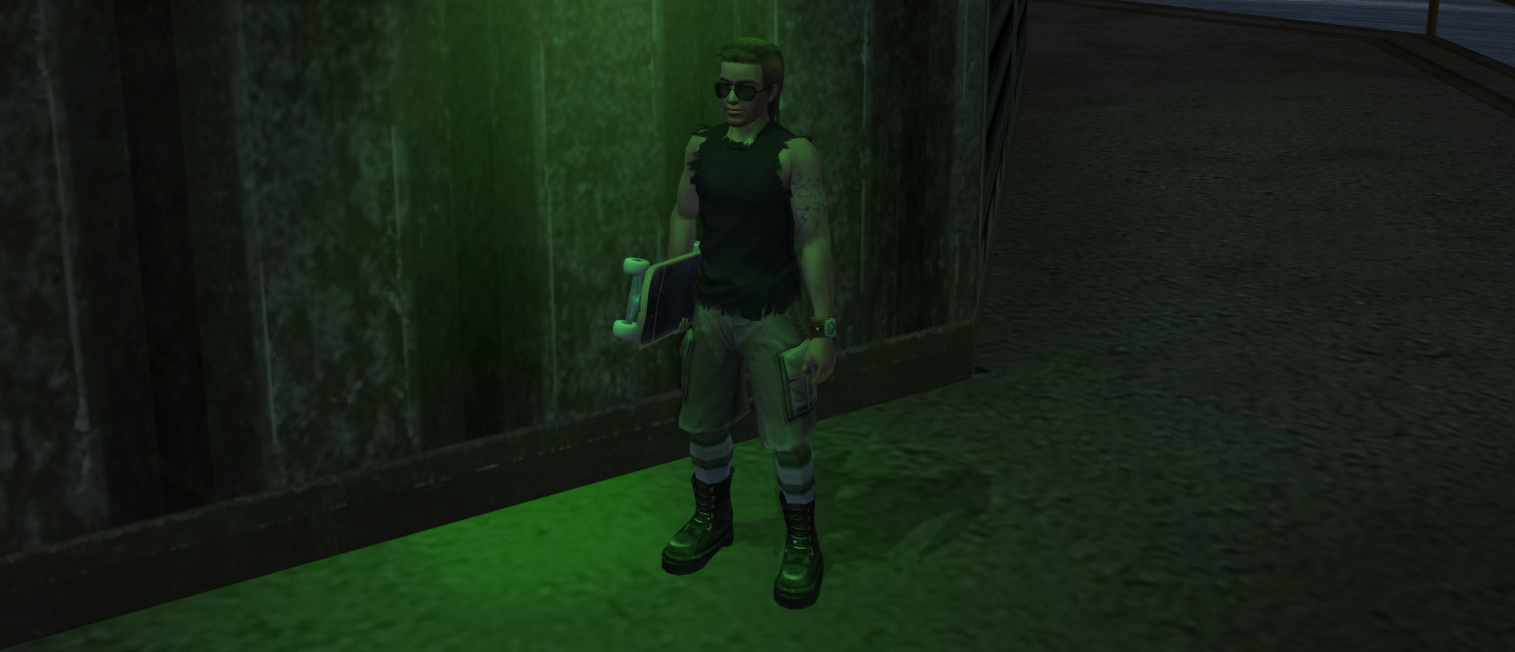
Level lights, sometimes called point lights, are one of the core building blocks of real-time lighting in games and interactive 3D environments.
Point lights are light sources that emit light equally in all directions from a single point, similar to a light bulb. Unlike directional lights (like sunlight), point lights have a position but no direction.
Lighting in the Neversoft engine is primitive in nature. Most lighting effects are faked using floating shadows, vertex colors, and more. However, we can still use level lights as a visual tool to "cast" light on surrounding objects.
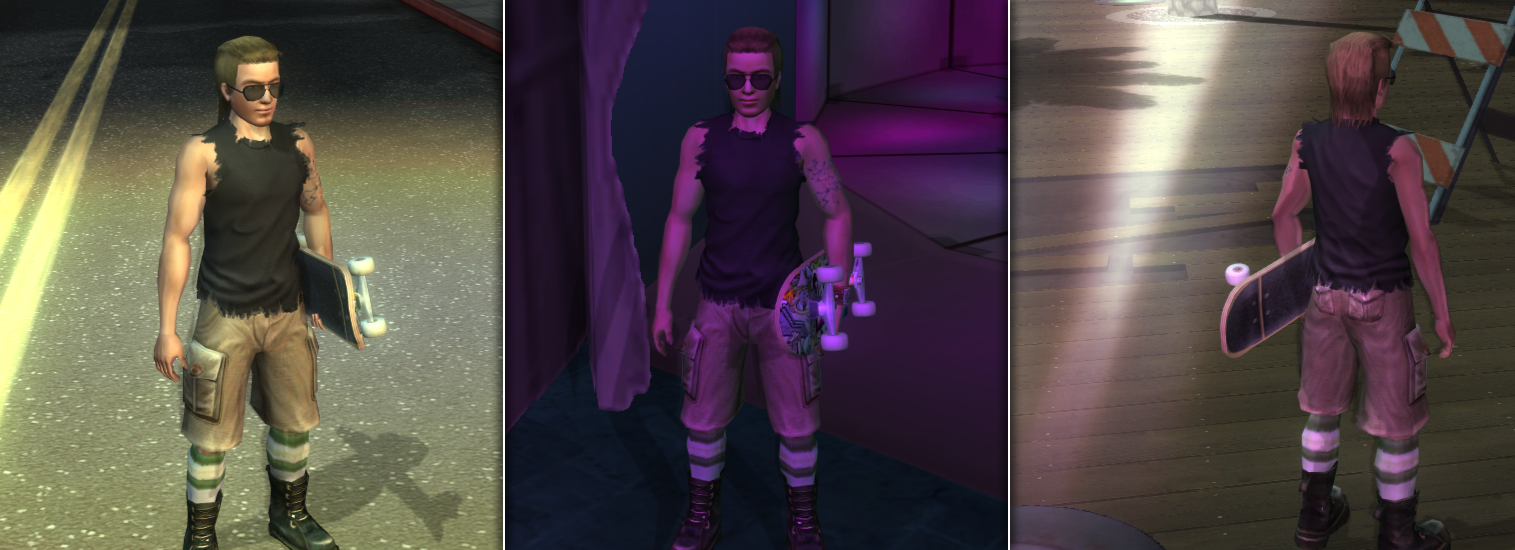
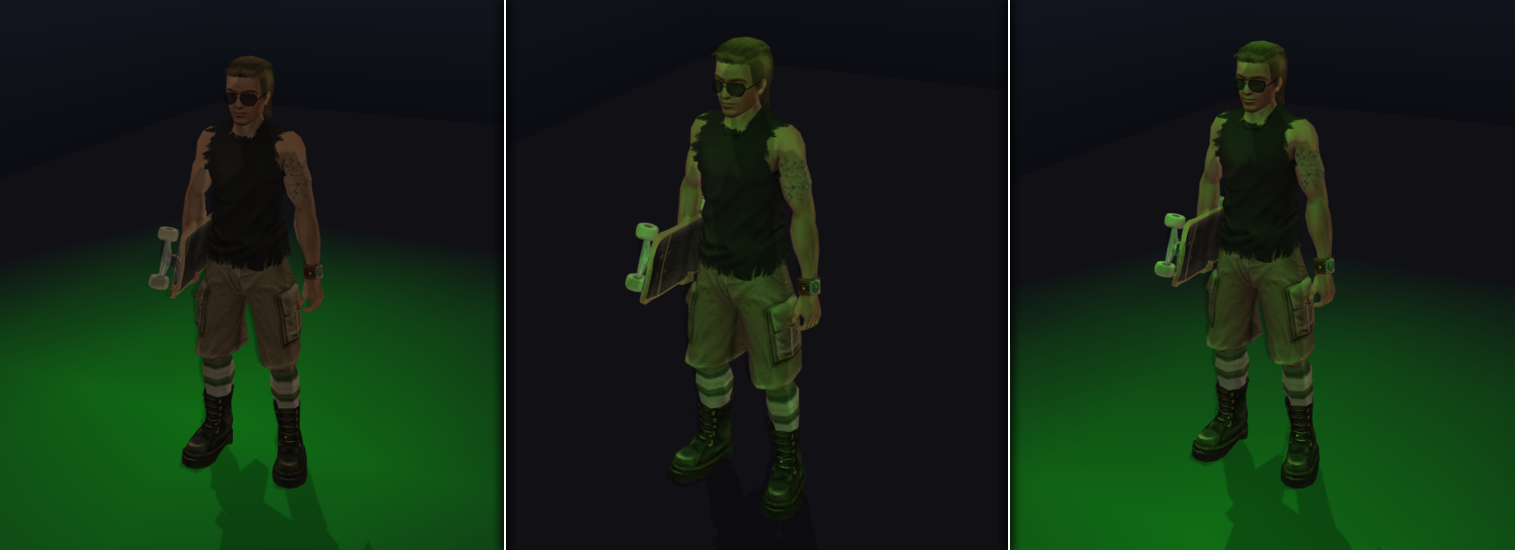
Level lights can be configured to affect only the level, only the skater, or both.
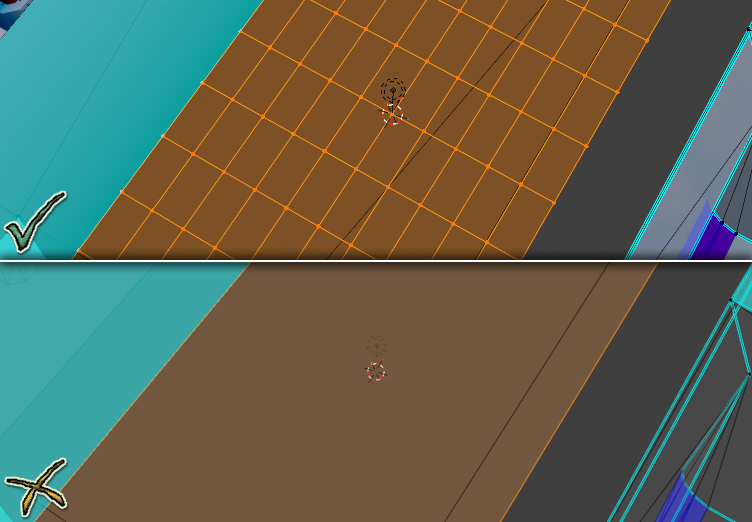
Bear in mind that level lights get applied to the vertices of a mesh when affecting the world. A mesh with dense geometry will be lit more clearly than one without.
Point lights are light sources that emit light equally in all directions from a single point, similar to a light bulb. Unlike directional lights (like sunlight), point lights have a position but no direction.
Lighting in the Neversoft engine is primitive in nature. Most lighting effects are faked using floating shadows, vertex colors, and more. However, we can still use level lights as a visual tool to "cast" light on surrounding objects.
Level lights can be configured to affect only the level, only the skater, or both.
Bear in mind that level lights get applied to the vertices of a mesh when affecting the world. A mesh with dense geometry will be lit more clearly than one without.
Creating a Level Light
We can add a level light to our level in NXTools fairly easily.
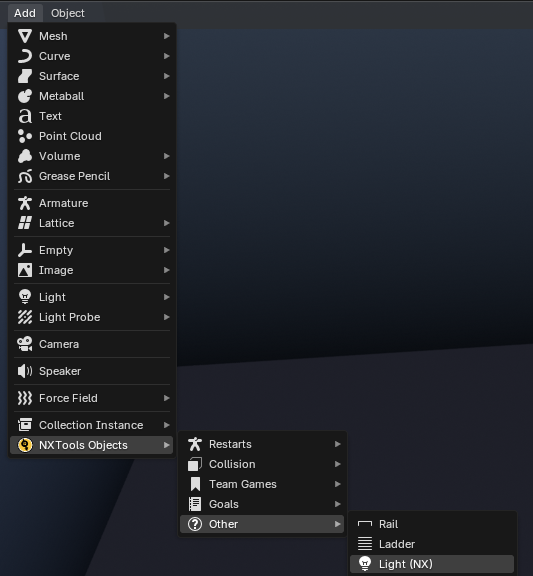

Select Add > NXTools Objects > Other > Light (NX)
Parameters
Level light properties are exposed via the NXTools Settings panel of the Data sidebar.
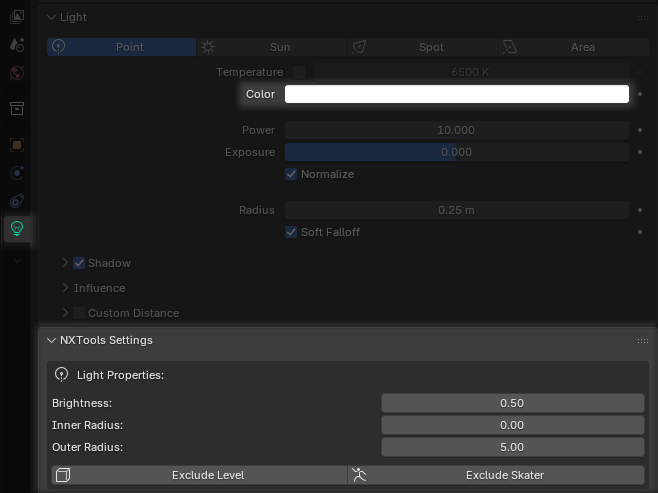
Affects the final color of the light.
Affects the total brightness of the light, which can be roughly visualized as a "percent" value.
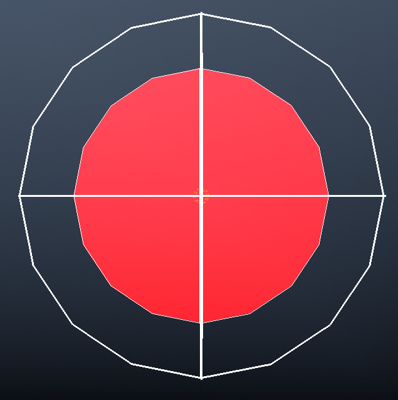
Affects the inner radius of the light. This should always be smaller than the Outer Radius of the light.
All light from the center of the light to the inner radius will have 100% brightness. Any object or geometry found within this radius will receive the full effect of the light.
Affects the outer radius of the light. This should always be larger than the Inner Radius of the light.
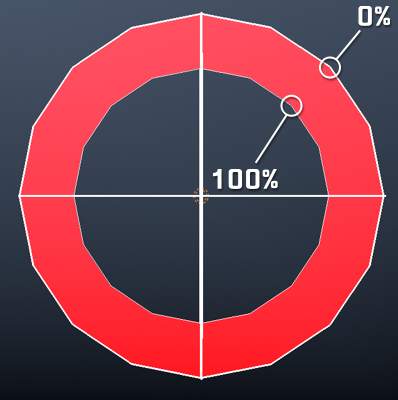
Light will gradually fall off in the region between the inner radius and outer radius, having a value of 100% at the inner edge and falling off to 0% at the outer edge.
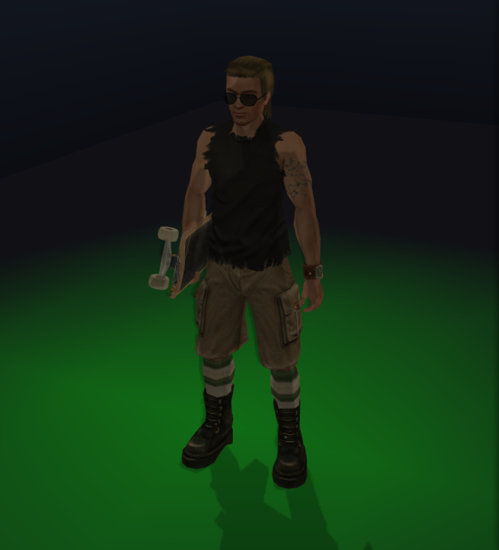
With this option enabled, the level light will NOT cast any light onto level geometry.
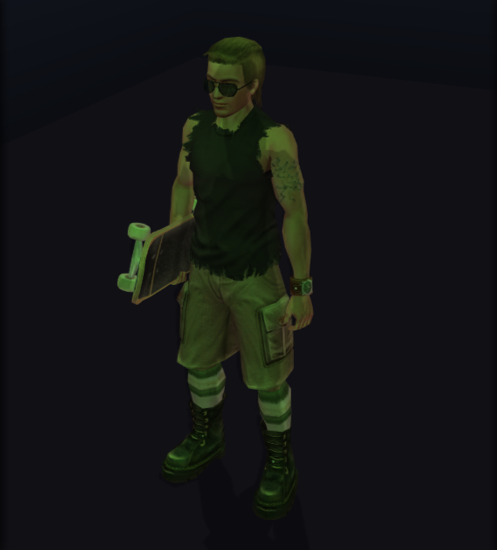
With this option enabled, the level light will NOT cast any light onto the skater.
Color
Affects the final color of the light.
Brightness
Affects the total brightness of the light, which can be roughly visualized as a "percent" value.
100.0 is a safe "default" value for level lights.Inner Radius
Affects the inner radius of the light. This should always be smaller than the Outer Radius of the light.
All light from the center of the light to the inner radius will have 100% brightness. Any object or geometry found within this radius will receive the full effect of the light.
Outer Radius
Affects the outer radius of the light. This should always be larger than the Inner Radius of the light.
Light will gradually fall off in the region between the inner radius and outer radius, having a value of 100% at the inner edge and falling off to 0% at the outer edge.
Exclude Level
With this option enabled, the level light will NOT cast any light onto level geometry.
Exclude Skater
With this option enabled, the level light will NOT cast any light onto the skater.